
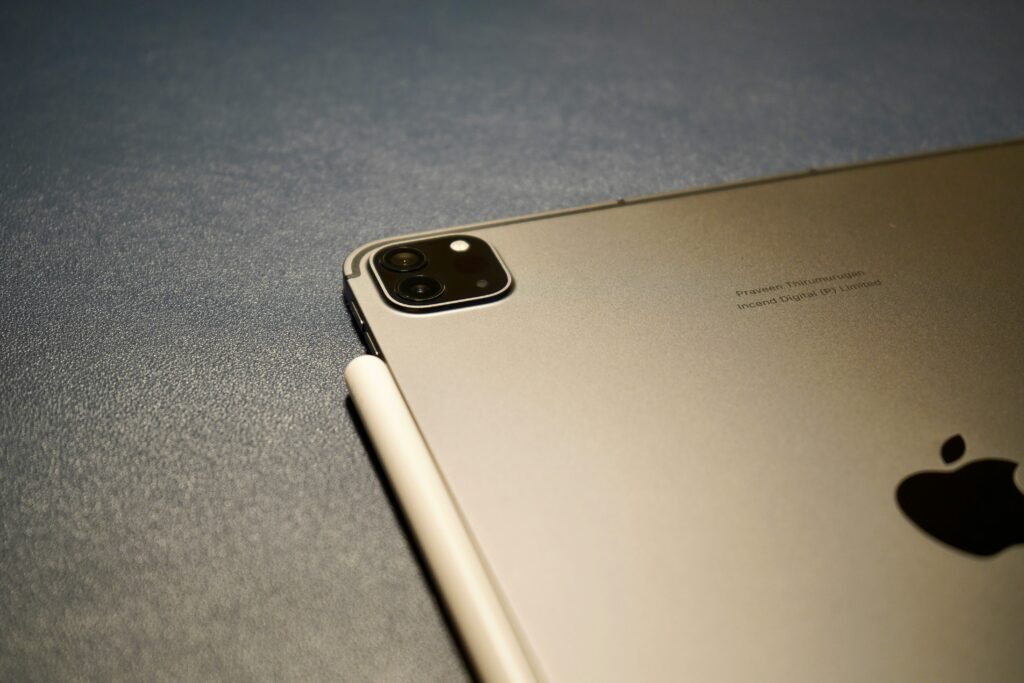
Apple’s latest iteration of its professional tablet, the M4 iPad Pro, has arrived, stirring the long-standing conversation about the convergence of mobile and desktop computing. Announced on May 7, 2024, the M4 iPad Pro marks a significant leap, not just in tablet technology, but in potentially redefining professional workflows. With its groundbreaking M4 chip, a stunning Ultra Retina XDR display, and a sleek, thinner design, the question is no longer just ‘Can it do some laptop tasks?’, but ‘Can it be your primary work machine, truly replacing a laptop?’
The M4 Chip: A Powerhouse Redefining Tablet Performance
At the heart of the new iPad Pro lies the M4 chip, Apple’s latest silicon built on second-generation 3-nanometer technology. This isn’t just an incremental upgrade; it’s a monumental leap. Apple officially states that the M4 delivers up to 50% faster CPU performance and 4x faster rendering performance compared to the M2 chip in the previous iPad Pro. More critically, its new Neural Engine is capable of 38 trillion operations per second, making it an AI powerhouse, ideal for on-device machine learning tasks.
This level of raw processing power puts the M4 iPad Pro squarely in contention with many high-end laptops, particularly those running Intel’s U-series or even some M-series Apple Silicon. For tasks like 4K video editing in Final Cut Pro, complex 3D rendering in apps like Octane X, or advanced photo manipulation in Affinity Photo 2, the M4 chip ensures buttery-smooth performance that was once exclusive to dedicated workstations. This shift fundamentally alters the **iPad Pro M4 vs Laptop** comparison, pushing the tablet into new territories of professional capability.
Ultra Retina XDR Display: A Visual Feast for Professionals
The display on the M4 iPad Pro is another standout feature that elevates its professional appeal. Apple calls it the ‘Ultra Retina XDR display,’ and it’s their most advanced screen ever, featuring tandem OLED technology. This means two OLED panels working in unison to deliver incredible full-screen brightness of up to 1000 nits and a peak brightness of 1600 nits for HDR content. Contrast ratios are an astonishing 2,000,000:1, offering true blacks and vibrant colors that make content creation and consumption an unparalleled experience.
For graphic designers, video editors, photographers, and architects, display quality is paramount. The M4 iPad Pro’s display provides an accurate, high-fidelity canvas that rivals, and often surpasses, those found in many professional laptops. This visual fidelity, combined with the power of the M4 chip, positions the iPad Pro as a serious contender for visual professionals who demand precision and vibrancy in their work. The optional nano-texture glass also reduces glare significantly, a practical benefit for outdoor or brightly lit environments, often a pain point for laptop users.
Software Limitations: The Persistent Hurdle for Laptop Replacement
While the hardware prowess of the M4 iPad Pro is undeniable, the primary hurdle in its journey to fully replace a laptop remains its operating system: iPadOS. Despite significant advancements over the years, iPadOS still operates with certain limitations when compared to a full desktop OS like macOS or Windows.
Multitasking, though improved with Stage Manager, still feels less flexible than a traditional desktop environment. The file system, while more accessible than early iterations, lacks the robust, open structure that many power users expect. Crucially, the availability of professional-grade software, specifically desktop-class applications with full feature sets, remains a gap. While Apple has brought Final Cut Pro and Logic Pro to iPadOS, many industry-standard applications from companies like Adobe (e.g., full Photoshop, Illustrator, Premiere Pro) still offer only ‘lite’ or adapted versions on the iPad, lacking the complete functionality available on macOS or Windows.
This software disparity is often the make-or-break factor for professionals considering the **iPad Pro M4 vs Laptop** decision. While the iPad Pro excels for touch-first creative tasks, content consumption, and specific mobile workflows, deeply entrenched desktop-centric workflows, especially in areas like software development, advanced data analysis, or complex engineering, still heavily favor traditional laptops.
Impact on Industries and Users: A Shifting Paradigm?
The M4 iPad Pro is poised to significantly impact industries where portability, touch interaction, and powerful processing are critical. Creative professionals in fields like illustration, graphic design, and video production are already finding immense value. Its precision with the Apple Pencil Pro, combined with the power of the M4, creates an unrivaled digital canvas. Field professionals, such as architects on site or medical personnel, benefit from its portability, long battery life, and robust app ecosystem for data collection and presentation.
For general business users, the M4 iPad Pro offers an extremely capable machine for presentations, document editing, and communication. However, for those requiring multiple external displays, extensive peripheral support, or reliance on legacy desktop applications, the laptop still holds the advantage. The choice often comes down to the specific nature of a user’s workflow: is it primarily touch-driven and mobile, or keyboard/mouse-driven and desktop-centric?
Future Predictions and Expert Opinions
Industry experts generally agree that the M4 iPad Pro pushes the boundaries of tablet computing further than ever before. Many foresee iPadOS continuing to evolve, gradually incorporating more desktop-like features without sacrificing its touch-first identity. The continued development of universal apps (apps that run natively on both iPadOS and macOS, like Final Cut Pro) will be key to bridging the software gap. It’s not about making the iPad a laptop, but making it equally capable for *different* professional workflows.
As The Verge noted in its review, the hardware has advanced so much that the software now feels like the bottleneck. This sentiment is widely shared. The future likely involves an even deeper integration of AI capabilities, leveraging the M4’s Neural Engine, to enhance productivity features within iPadOS itself, potentially automating tasks that currently require more complex desktop software.
The notion of a ‘laptop replacement’ is subjective and highly dependent on individual needs. For many, especially those in creative and highly mobile roles, the M4 iPad Pro is already a compelling alternative. For others, particularly those with highly specialized software requirements or who thrive in a multi-monitor desktop setup, the traditional laptop still offers an unmatched environment. The iPad Pro is carving its own niche as a powerful, versatile professional tool, rather than simply trying to emulate a laptop.
Conclusion: A Powerful Choice for the Right Professional
The M4 iPad Pro represents a significant achievement in mobile computing. Its industry-leading chip, stunning display, and versatile design make it an incredibly powerful device capable of handling tasks that were once firmly in the domain of high-end laptops. The discussion around **iPad Pro M4 vs Laptop** isn’t about one completely obliterating the other, but rather about choosing the right tool for the job.
For professionals whose workflows align with its strengths – touch-first creation, highly portable computing, and pro-level app experiences – the M4 iPad Pro is not just a viable alternative, but potentially a superior one. For those deeply embedded in legacy desktop applications or complex software development, the traditional laptop will likely remain king. Apple’s latest iPad Pro is a testament to the future of computing, where powerful, specialized devices cater to diverse professional needs, offering unprecedented choice.
For more insights into optimizing your professional tech stack, explore our guide on Streamlining Workflow with Automation Tools.